





Ok, I have to admit it - I've been thinking about snow! It's been cold enough - why not have some of the picturesque white? I'm sure I'll eat my words later (especially in January and February), but for now, I guess I'm tired of 70 one day, 30 the next! Ah, winter in Virginia!
Today was our first day of break and after doctor appointments and finishing up the Christmas shopping (few last minute items), as well as dropping my daughter off at a friend's for a sleepover, here I am back at school. Crazy, huh? Well, my teen son loves the high speed wifi so he's sitting in front of me in gaming heaven! I'm sure I'm not the only one that does weekend hours!
So, today, I was excited because I finally created a packet for one of my favorite winter books: Snowflake Bentley! I fell in love with this book years ago and when I started in the library, I ordered posters and items from the museum in Vermont. The kids are fascinated with the pictures of the different snowflakes!
There is a lot more out there on him than there used to be, so I took advantage of it! My kids love QR codes and using tablets, so it was only natural that besides the creating snowflakes (which I'll add as a station in our Makerspace), they can learn more about the man, his photos, and snow in general.
If you'd like to check it out, click on TN or TPT (your choice). Another great discovery was (after I thought I lost my copy and a teacher checked out our only library copy - but I found it) several read alouds on YouTube. Here's one of my favorites. Watch, enjoy, relax (are you on break now, too?).
Showing posts with label QR codes. Show all posts
Showing posts with label QR codes. Show all posts
Wednesday, December 21, 2016

Thursday, September 10, 2015
Constitution Day!
Last year, I had so much fun celebrating Constitution Day/Week with my students! This year, I'm all into QR codes so guess what? I added a QR Hunt for my students to review what they know about the Constitution and the Bill of Rights! I'm going to be using it for my 4th and 5th graders, but that's because with our state standards, these groups have some background info already on this document/how government works. I figure students as low as 3rd as well as up to 8th can use this packet for review! :)

With my younger kiddos, I'll still use my favorite book, We the Kids,
 as well as my packet I created last year.
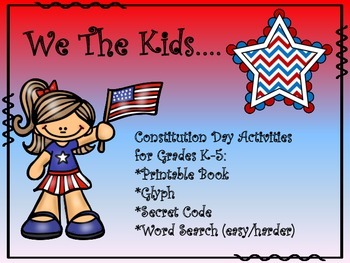
With my younger kiddos, I'll still use my favorite book, We the Kids,
How will you celebrate Constitution Day?
Saturday, August 15, 2015
3 Days Down....
For some reason, several years ago, our calendar changed so that we'd start on Wednesdays. It has since stuck. I've never quite decided if I like it or not. I know it's great for the little ones, who are exhausted by the 3rd day. The bad thing is, they come back forgetting all those procedures from the first 3 days!!!
This year, my back to school was soooo much smoother than last year. I have decided that last year, I was still in my "teacher/classroom" brain, so the centers and activities I did with the kids that first week (which did NOT include checkout due to a flub in the system) was not going to work this year. Sure, I had a few who enjoyed the usual back to school/get to know you activities but let's be honest here. Most did not, because it was something they had already done in the classroom and were not expecting out of a resource!
So, this year, after year one under my belt, I felt more confident coming in. I took those back to school copies I had leftover from last year and handed them out to classroom teachers. I was determined students would check out the first day, despite the fact that after the "Destiny Rebuild" our central tech person did, I could not look up names, only student numbers (and that included teachers too, yikes!). It took a call to Follett to get that straight and guess what? It wasn't on my end! However, it's fixed, so that makes me happy!
To tell the truth, it almost felt like we had been on a short break and picked up where we had left off - just in different classes and grades. I was really touched when students came up to me and told me they missed coming to library, or were happy it was "library day." I made it through the now-not-shocked Kindergarten behavior (or lack of it). THAT was an eye-opener last year! Gentle voice and many times repeated directions! :)
So, what did I do this year? Well, I did the usual "back to school/library/book themed" read alouds. Then, to go over book care and library procedures, I thought it would be more fun for kids to see a funny video than just listen to me. It went over really well with the K-3 kiddos that I did it with! You can see them at our "Primary Foxes" wiki page. For Kindergarten, I found this cute cookie monster video visiting a library for the first time that inspired giggles, as well as a video some genius made that starred "Emily" and what to do and not to do with your library book at home! That's on the "What's a Library?" page {here}. For grades 1-3, I used the "Taking Care of Our Books" page and the firsties watched Skippy Jon Jones, second watched the Pigeon and third watched Al and Scaredy Squirrel {here}.
After, students checked out and were able to choose centers once they found their book (the Kinders didn't do that since by the time you explained everything, there was maybe 10 minutes left to choose a book! I just had them sit down and look at their book after checking out).
For 4th and 5th, I got inspired and created a QR Code Scavenger Hunt. I figured it was a fun way to review library procedures, book checkout, sections of the library, etc. I only did 6 questions, but it did take them some time. We're going to go over answers for the next rotation because some of them were bound and determined to find out the answers to all! I called a pause to the hunt to check out books, then they could resume if they wanted to. This was the first time I'd used QR codes in the library, so scanning with the iPads was a definite highlight! I had to remind some of them to stop and WATCH the video/powerpoint to find their clue/answer to the question! They just wanted to keep scanning. :)
I have to admit - I'm now an addict to Powtoons, SafeShare, and QR codes!!!!!
So, I'll finish out this rotation on Tuesday, and our next theme will be reviewing our online catalog (Destiny) for grades 2-5, and meeting Pete the Cat for my Kinders and playing with 5 little monkeys with my firsties (we learned the songs last year, so they'll enjoy the revisit!).
Oh, and before I forget - a freebie! Working on my emergency sub plans, I had whipped this up last year (warning - on teacher/classroom brain), but after looking at it today, I realized that for a sub that doesn't know how to use the computer to check out, it would work out well. It's making its way into my emergency sub folder. Feel free to check it out {here}.
And, just because I realized that this post looks kinda boring with no pictures - here's Cookie Monster being THAT STUDENT. hee hee :)
This year, my back to school was soooo much smoother than last year. I have decided that last year, I was still in my "teacher/classroom" brain, so the centers and activities I did with the kids that first week (which did NOT include checkout due to a flub in the system) was not going to work this year. Sure, I had a few who enjoyed the usual back to school/get to know you activities but let's be honest here. Most did not, because it was something they had already done in the classroom and were not expecting out of a resource!
So, this year, after year one under my belt, I felt more confident coming in. I took those back to school copies I had leftover from last year and handed them out to classroom teachers. I was determined students would check out the first day, despite the fact that after the "Destiny Rebuild" our central tech person did, I could not look up names, only student numbers (and that included teachers too, yikes!). It took a call to Follett to get that straight and guess what? It wasn't on my end! However, it's fixed, so that makes me happy!
To tell the truth, it almost felt like we had been on a short break and picked up where we had left off - just in different classes and grades. I was really touched when students came up to me and told me they missed coming to library, or were happy it was "library day." I made it through the now-not-shocked Kindergarten behavior (or lack of it). THAT was an eye-opener last year! Gentle voice and many times repeated directions! :)
So, what did I do this year? Well, I did the usual "back to school/library/book themed" read alouds. Then, to go over book care and library procedures, I thought it would be more fun for kids to see a funny video than just listen to me. It went over really well with the K-3 kiddos that I did it with! You can see them at our "Primary Foxes" wiki page. For Kindergarten, I found this cute cookie monster video visiting a library for the first time that inspired giggles, as well as a video some genius made that starred "Emily" and what to do and not to do with your library book at home! That's on the "What's a Library?" page {here}. For grades 1-3, I used the "Taking Care of Our Books" page and the firsties watched Skippy Jon Jones, second watched the Pigeon and third watched Al and Scaredy Squirrel {here}.
After, students checked out and were able to choose centers once they found their book (the Kinders didn't do that since by the time you explained everything, there was maybe 10 minutes left to choose a book! I just had them sit down and look at their book after checking out).
For 4th and 5th, I got inspired and created a QR Code Scavenger Hunt. I figured it was a fun way to review library procedures, book checkout, sections of the library, etc. I only did 6 questions, but it did take them some time. We're going to go over answers for the next rotation because some of them were bound and determined to find out the answers to all! I called a pause to the hunt to check out books, then they could resume if they wanted to. This was the first time I'd used QR codes in the library, so scanning with the iPads was a definite highlight! I had to remind some of them to stop and WATCH the video/powerpoint to find their clue/answer to the question! They just wanted to keep scanning. :)
I have to admit - I'm now an addict to Powtoons, SafeShare, and QR codes!!!!!
So, I'll finish out this rotation on Tuesday, and our next theme will be reviewing our online catalog (Destiny) for grades 2-5, and meeting Pete the Cat for my Kinders and playing with 5 little monkeys with my firsties (we learned the songs last year, so they'll enjoy the revisit!).
Oh, and before I forget - a freebie! Working on my emergency sub plans, I had whipped this up last year (warning - on teacher/classroom brain), but after looking at it today, I realized that for a sub that doesn't know how to use the computer to check out, it would work out well. It's making its way into my emergency sub folder. Feel free to check it out {here}.
And, just because I realized that this post looks kinda boring with no pictures - here's Cookie Monster being THAT STUDENT. hee hee :)
Subscribe to:
Posts (Atom)

